X32 and Wing Routing Basics: Getting Signal From Stage to Livestream
By Nikki
September 2, 2026 · 4 min read · Updated October 1, 2026
Your livestream sounds thinner than the room, or your in-ears are getting the wrong mix, or somebody's asking why the recording booth has no signal at all. Nine times out of ten, that's not a gain problem or an EQ problem, it's a routing problem, and routing is the one part of a digital board almost nobody explains from the ground up.
Why routing trips people up
On an analog board, what you see is what you get: a channel goes to a fader, the fader goes to the mains, that's mostly it. A digital board like the X32 or Wing separates the physical inputs and outputs from where the signal actually goes, which means a channel can feed the main mix, a monitor send, a recording feed, and a livestream feed all at once, each one independently controlled. That flexibility is the whole point of going digital. It's also exactly why routing feels like a maze the first time you open the screen.
The bus structure you actually need to know
Don't try to learn every bus on day one. Know these:
- Main LR is your house mix, what the room hears.
- Mix buses (1 through 16 depending on your board) are flexible sends you can point anywhere: monitors, a recording feed, a livestream feed, whatever you need.
- Matrix sits after the main mix and lets you take a processed version of the house mix and send it somewhere else with its own EQ and level, without touching the main mix itself.
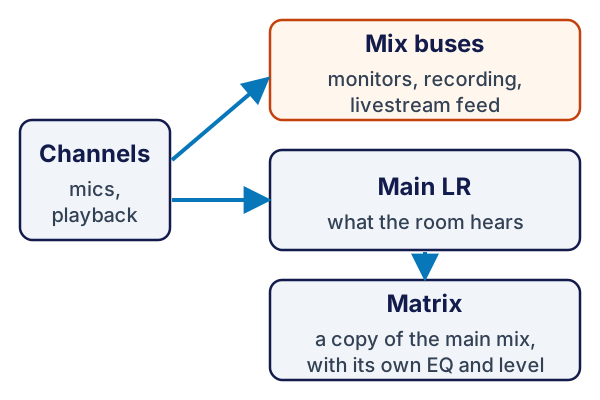
Everything else on the routing screen builds off these three ideas.
Getting audio to monitors without touching the house mix
Assign a mic or channel to a mix bus, then send that bus to a monitor output, whether that's a wedge or an in-ear pack. Because it's a separate bus, you can turn a vocalist up in their in-ears without that change touching what the congregation hears. This is the actual reason monitor mixing exists as its own job, not because it's more complicated, but because it has to be independent from the house mix.
Getting a separate feed to livestream, on purpose
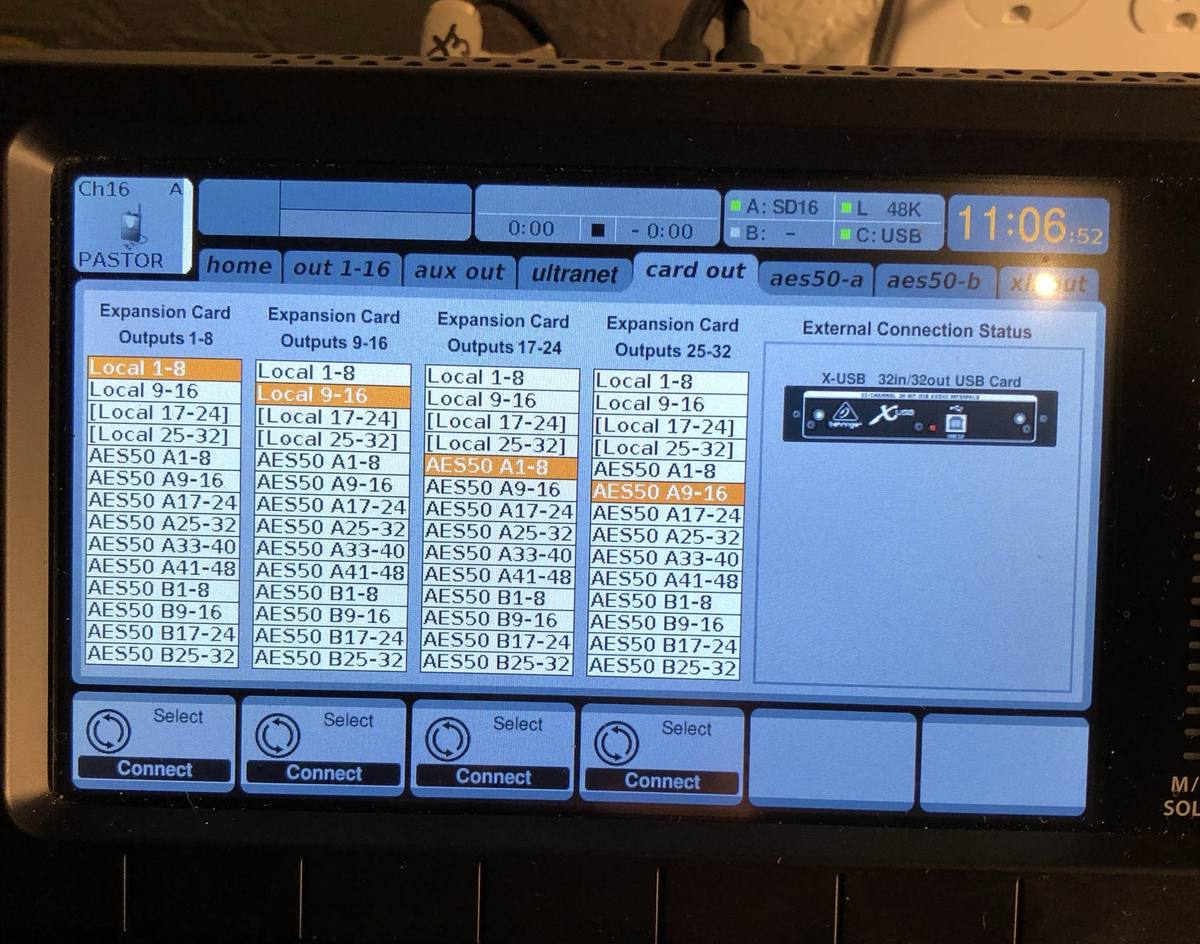
This is the one that trips people up most, and it's the one worth taking slow. Don't feed livestream straight off the Main LR bus if you can help it. Use a dedicated mix bus instead, so the stream mix can differ from the house mix, usually less reverb, tighter dynamics, and a touch more compression than a live room needs. Route that bus to a Card or USB output (on both the X32 and Wing, this happens on the Routing screen, not the channel strip), and that output feeds your encoder or streaming interface directly. Change the stream mix all you want and the room never hears the difference.
Where this actually lives on the screen
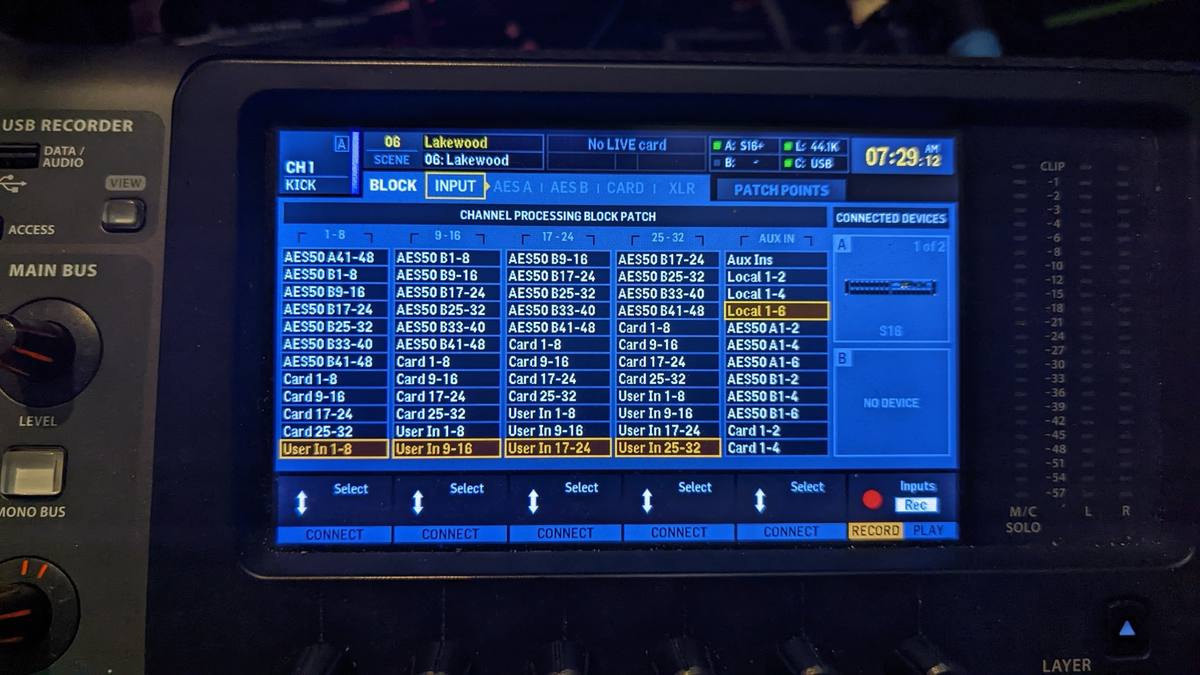
On an X32, it's Home, then Routing, where you assign what feeds each physical output: Local XLR, the expansion card, USB, AES50 for a stage box. The Wing organizes it the same way conceptually, output routing is its own dedicated screen, separate from channel EQ and dynamics. If you're switching from analog to digital for the first time, this is the screen that takes the most getting used to, because there's nothing like it on an analog board. Give yourself real time with it before your first live service, not twenty minutes before doors open.
A few real gotchas
Label your buses with names that mean something to whoever's on the board that week: "Livestream Feed" beats "Mix 3" for a volunteer who didn't set it up. And write your routing map down the same way you'd write down channel assignments, because a routing setup that only lives in one person's head breaks the first Sunday that person isn't there.
Routing isn't harder than the rest of the board, it just isn't explained anywhere near as often. Once the bus structure clicks, everything else on a digital board gets easier, not harder.
For the fundamentals underneath this, see signal flow basics, or start from the small church sound guide.
If your board's routing screen still feels like a black box, that's normal, almost nobody gets a real walkthrough of it. Grab the Sunday Checklist and drop questions if there's a specific routing scenario you're stuck on. That's genuinely how future posts get picked.
Stay in the loop
Pick what you want to hear about. I'll only email when there's something useful to share, and you can unsubscribe any time.
Your email stays private. Read the Privacy Policy.
Comments
Be the first to leave a comment.